The average Indian household now runs eight or more connected devices simultaneously — two or three phones, a smart TV, a laptop for work calls, an Alexa or Google Home, and increasingly a smart plug or two — all fighting for bandwidth through walls that are usually thick concrete rather than drywall. A router bought five years ago for basic browsing simply wasn’t built for this, and Wi-Fi 6 has now become the practical minimum for a new router rather than a premium upgrade. Here are ten routers worth considering for Indian homes and small offices as of September 2026, spanning budget picks through Wi-Fi 7 and mesh systems for larger spaces.
| Router | Approx. Price | Wi-Fi Standard | Best For |
| TP-Link Archer AX12 | ₹2,849 | Wi-Fi 6 (entry) | Tightest budget, small flats |
| TP-Link Archer AX53 | ₹5,399 | Wi-Fi 6 (AX3000) | Best all-round value for most homes |
| TP-Link Archer AX72 | ₹6,000–₹8,000 | Wi-Fi 6 (AX5400) | Homes with 20+ devices, WFH streaming |
| Netgear Nighthawk (AX3000 series) | ₹8,999–₹10,999 | Wi-Fi 6 | Reliability, built-in security (Netgear Armor) |
| TP-Link Archer BE230 | ~₹9,500 | Wi-Fi 7 (BE3600) | Future-proofing on 500 Mbps+ plans |
| ASUS RT-AX86U | ₹15,000–₹20,000 | Wi-Fi 6 | Power users, gaming, built-in VPN server |
| ASUS RT-BE58U | Mid-premium | Wi-Fi 7 | Entry into Wi-Fi 7 without flagship pricing |
| TP-Link Deco X10/X20 (mesh) | ₹8,000–₹15,000 (2-pack) | Wi-Fi 6 mesh | Large 3BHK/multi-floor homes, dead zones |
| D-Link Wi-Fi 6 Gigabit Router | ₹6,000–₹9,000 | Wi-Fi 6 | Small office, voice/smart-home integration |
| Tenda Wi-Fi 6 / Mesh Router | ₹3,500–₹7,000 | Wi-Fi 6 | Budget-conscious families, first mesh setup |
Prices are indicative as of September 2026 and vary by retailer, festival sales and region — check current listings before buying.
The Ten Routers in Detail
1. TP-Link Archer AX12
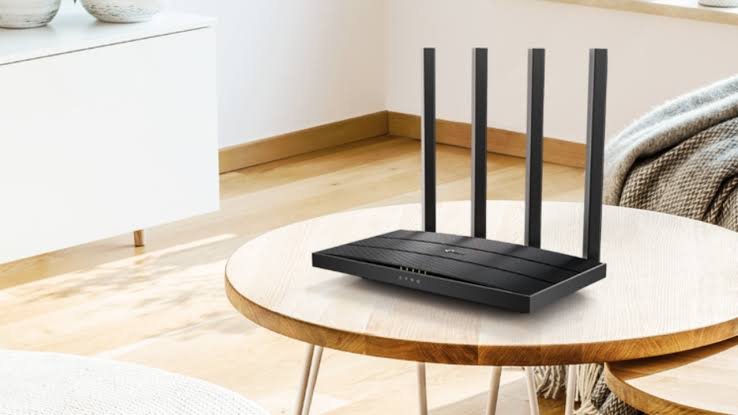
An entry-level Wi-Fi 6 router priced close to older Wi-Fi 5 models, making it hard to justify buying anything older. Suits a small flat with basic browsing, streaming and a handful of devices, without the mesh or advanced QoS features of pricier siblings.
2. TP-Link Archer AX53
Widely recommended as the single best value pick for most Indian homes in 2026. AX3000 speeds, EasyMesh support for later expansion, gigabit ports and a dual-core processor handle a typical household’s daily mix of calls, streaming and browsing without strain.
3. TP-Link Archer AX72
A step up for busier homes, comfortably handling 20 or more connected devices without lag. The TP-Link Tether app keeps setup simple, and it’s a strong fit for anyone working from home while others in the house stream simultaneously.
4. Netgear Nighthawk (AX3000 series)
Netgear’s proven reliability shows up here through four-stream Wi-Fi 6, a combined 1.2 Gbps plus 2.4 Gbps throughput, and the Nighthawk app for straightforward management. Netgear Armor adds built-in cybersecurity monitoring, useful for homes with several smart devices.
5. TP-Link Archer BE230
An affordable doorway into Wi-Fi 7, bringing dual 2.5G ports and Multi-Link Operation at a price close to some Wi-Fi 6 routers. Worth it specifically if your broadband plan already runs at 500 Mbps or higher.
6. ASUS RT-AX86U
A power-user favourite thanks to its built-in VPN server, letting you securely reach your home network while travelling or working from a client site. QoS handles prioritising video calls over background downloads cleanly through the ASUS Router app.
7. ASUS RT-BE58U
Gets you a large share of premium Wi-Fi 7 benefits without flagship pricing. A sensible middle ground for households that want to be ready for faster future broadband plans without paying for a top-tier gaming router.
8. TP-Link Deco X10/X20 (mesh)
Built for bigger homes where a single router leaves dead zones. The mesh nodes share one network name, so devices hand off between rooms and floors smoothly as you move through a 3BHK or independent house.
9. D-Link Wi-Fi 6 Gigabit Router
A dependable, India-available option with four sturdy antennas for wide coverage, plus voice control and smart-home device compatibility. A practical choice for a small office needing solid gigabit performance without a big spend.
10. Tenda Wi-Fi 6 / Mesh Router
The most budget-friendly route into Wi-Fi 6 and mesh coverage, with simpler software than ASUS or Netgear and fewer advanced controls. A sensible first mesh setup for families prioritising cost over configurability.
What to Actually Check Before Buying
- Wi-Fi 6 is the realistic minimum in 2026, since single-band or older Wi-Fi 5 routers struggle with today’s device density even in a modest 2BHK.
- Match the router to your ISP’s connection type — Jio Fiber, Airtel Xstream, BSNL and local ISPs use different connection modes (GPON, FTTH), so confirm compatibility, particularly if your ISP provided a specific ONT/modem setup.
- For large or multi-floor homes, a mesh system beats a single powerful router, since thick concrete walls common in Indian construction block single-router signals more than typical drywall homes abroad.
- Check the number of Ethernet/LAN ports if you have a desktop PC, smart TV or gaming console that benefits from a wired connection rather than relying purely on Wi-Fi.
- Look for QoS (Quality of Service) settings if you work from home, since this lets you prioritize video calls over background downloads or streaming on other devices.
- Wi-Fi 7 is worth paying extra for only if your broadband plan is 500 Mbps or higher, since a lower-speed plan won’t benefit from the extra headroom Wi-Fi 7 offers.
Frequently Asked Questions
Q1. Do I really need Wi-Fi 7, or is Wi-Fi 6 enough for a typical Indian home in 2026?
For most Indian broadband plans, which max out well under 1 Gbps, Wi-Fi 6 remains genuinely sufficient and offers the best value, while Wi-Fi 7 only shows a real benefit if your internet plan is 500 Mbps or higher and you have devices that actually support the newer standard.
Q2. Should I buy a single powerful router or a mesh system for my home?
It depends on your home’s layout — a single router works fine for a compact flat, but for a larger 3BHK, an independent house, or a multi-floor layout with thick concrete walls, a mesh system generally eliminates dead zones more reliably than trying to boost a single router’s range.
Q3. Will any of these routers work with Jio Fiber, Airtel Xstream and BSNL equally well?
Most modern Wi-Fi 6 and Wi-Fi 7 routers are compatible with all major Indian ISPs, but confirm the specific connection mode your ISP uses (some provide their own ONT/modem that just needs a router in bridge mode, others need PPPoE configuration) before assuming plug-and-play compatibility.
Q4. Is it worth paying extra for a router with built-in security features like Netgear Armor or ASUS AiProtection?
These built-in security suites add real value by blocking malicious sites and monitoring for suspicious device behavior on your network, which is genuinely useful given how many smart home devices with weak security now connect to home Wi-Fi, though note that some of these features require an ongoing subscription after an initial free period.